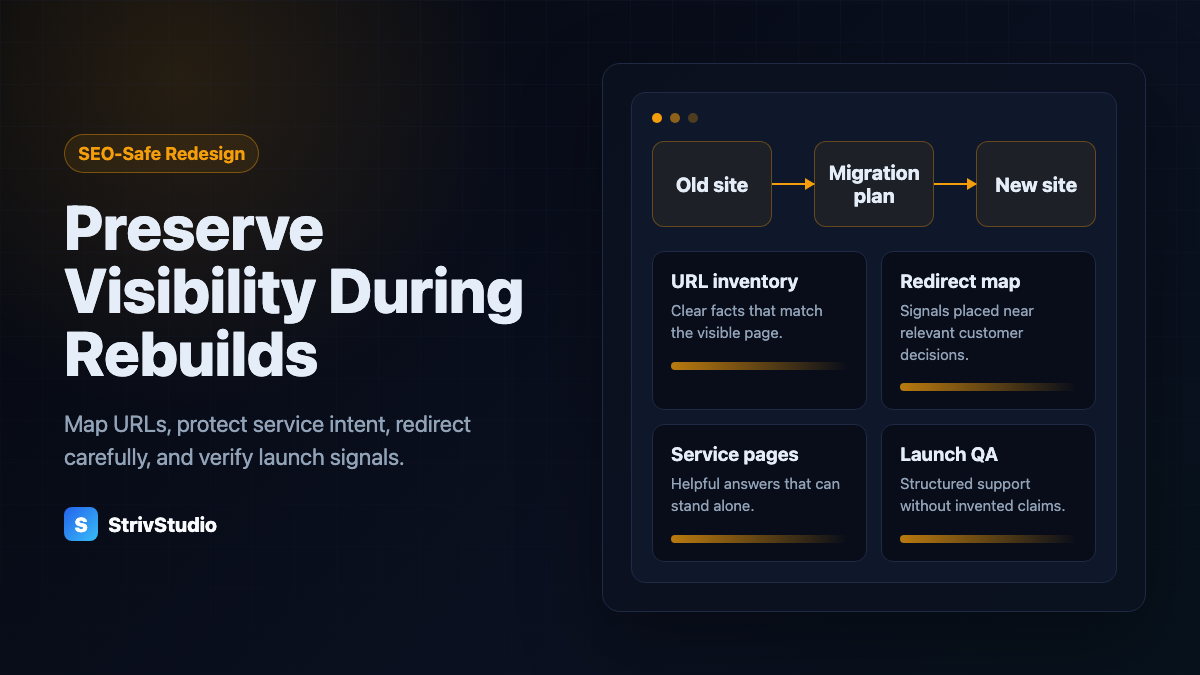
Key takeaways
- Before anyone opens a design tool, inventory the current URLs, rankings, service pages, metadata, forms, tracking, and Google Business Profile links
- When an important URL has to change, give it a permanent redirect to the closest matching page, never a blanket redirect to the homepage
- Don't delete service pages because the new design looks cleaner with fewer of them
- Launch QA covers the sitemap, robots.txt, canonicals, forms, schema, analytics, and the Google Business Profile links
Short answer: A website redesign without losing local SEO starts with a preservation map, before any design work. Keep the URLs worth keeping, redirect the ones that change, protect every page that carries service intent, carry metadata over deliberately, regenerate the sitemap, and test the Google Business Profile links, forms, analytics, and schema before launch.
Redesigns lose rankings when they ignore the old site
A redesign is never only a visual project. If you're a contractor, plumber, mover, roofer, landscaper, cleaner, or HVAC company, your old site probably has pages Google already understands. Remove those pages, or change their URLs without a plan, and visibility drops.
The usual way this happens: a rebuild collapses useful service pages into one polished homepage. The new site looks better in the mockup and loses the service-specific relevance it used to have.
That's why contractor website design, done properly, settles the SEO preservation plan before the visual system is final.
Inventory the current site before you design anything
Before a layout changes, collect what the current site has earned. This is the step many redesigns skip, and it's the cheapest one.
If the current site is already showing warning signs, run through these symptoms of a site that's losing customers first. It helps separate the design problems from the SEO assets you need to protect.
The inventory:
- Every indexable URL on the current site
- Page title and meta description for each important page
- Current service pages and location pages
- Pages with traffic, backlinks, or ranking value
- Contact forms, phone links, and quote paths
- The current sitemap and robots.txt
- Schema markup and any review or FAQ sections
- Google Business Profile website and appointment links
This list becomes the launch checklist. Every migration decision you make later can be checked against it.
Protect URLs and redirects
A clean, useful URL with traffic, links, or search visibility should usually stay exactly as it is. When a URL has to change and there's a relevant replacement, use a permanent redirect to the closest matching page. Google's Search documentation describes permanent redirects as a strong canonical signal.
Redirect with intent:
- Old roof repair page to new roof repair page
- Old plumbing services page to new plumbing services page
- Old city page to the matching new city or service-area page
- Nothing to the homepage unless there's genuinely no relevant replacement
A redirect to the homepage spares the visitor a 404. It doesn't carry the intent of a service page anywhere, and the homepage was never the answer to that specific search.
Don't delete service intent
Contractor sites rank because Google can match individual pages to individual searches. A page about emergency plumbing, roof repair, AC installation, or move-out cleaning has far clearer intent than a "services" section on the homepage.
During a redesign, protect the pages that map to revenue:
- Main service pages
- Emergency or same-day pages, as long as they're true
- High-value city or service-area pages
- Pricing, financing, or estimate pages
- Portfolio, reviews, and proof pages
Simplify the navigation all you like. Don't delete the content behind it. Those are two different decisions, and redesigns keep confusing them.
Carry metadata over deliberately
Don't copy titles and meta descriptions blindly. Don't rewrite them casually either. If a page is already earning impressions, its metadata is part of the search result people are seeing right now. Change it on purpose or leave it alone.
A good redesign makes metadata more specific, never more generic. "Services" becomes "HVAC Repair and Installation" followed by the area you serve. "Home" becomes a plain statement of what the business is, where it works, and what it mainly does.
Check the profile, forms, and tracking before launch
Local SEO doesn't stop at the code. A redesign breaks lead flow when the Google Business Profile still points to an old page, the form quietly stops sending, or the analytics tag got left behind on the old site. This is the part of local SEO that lives outside the website, and it's the part a design team is least likely to think about.
Before launch, verify:
- The Google Business Profile website link
- The profile's appointment or quote link, if you use one
- Contact form delivery (send yourself a test)
- Tap-to-call links on mobile
- Analytics and conversion tracking
- Sitemap generation
- Robots.txt allows the pages that matter
- Canonical tags point to the final URLs
- Schema matches the visible content
These checks cut out the avoidable launch failures. They don't guarantee your rankings survive; nothing does. Skipping them is how you lose rankings you could have kept.
Redesign launch checklist
- Export the current URL list.
- Mark each URL keep, redirect, merge, or remove.
- Map every changed URL to the closest new one.
- Keep or improve the high-value service pages.
- Write unique titles and meta descriptions for the important pages.
- Generate the XML sitemap from the final route list.
- Test on a phone before launch.
- Verify forms, phone links, analytics, schema, canonicals, and robots.txt.
- Update the Google Business Profile links after launch.
- Watch Search Console impressions, clicks, indexed pages, and 404s after launch.
Do this and the redesign has a real chance of keeping the paths that were working, and you'll catch problems early instead of finding them in a quiet month. If you're still deciding what to hand over to whoever builds it, here's what to give your web designer.
FAQ
Can a redesign hurt local SEO?
Yes. Rankings drop when important URLs vanish, redirects are missing, service pages get cut, metadata is rewritten carelessly, or the Google Business Profile points at a broken or weaker page.
Should I keep old URLs during a redesign?
Keep them when they're clean, relevant, and already ranking. If a URL has to change, map the old one to the best new page with a permanent redirect.
What should be checked before launching a redesigned contractor website?
Redirects, the sitemap, robots.txt, canonical tags, page titles, service pages, contact forms, analytics, schema, the mobile layout, and the Google Business Profile website link.