Key takeaways
- Capture real services and explain what each photo can actually establish.
- Retain source files, permission records and a factual caption review.
- Follow current Google requirements and distinguish upload from live publication.
- Use photos to clarify service decisions without promising ranking gains.
In this article
- 1Which customer questions should the photos answer?
- 2What belongs in a practical contractor shot list?
- 3How do you record provenance and permission?
- 4What technical preparation does the profile need?
- 5What changes can make an image misleading?
- 6How do you verify the publishing result?
- 7What should the ongoing review measure?
Useful Google Business Profile photos show the real business and help customers understand its services. Build a repeatable workflow: capture authentic work, confirm permission, inspect private details, prepare the files and verify publication. Keep captions accurate and treat a photo as evidence of what it actually shows, without promising a ranking gain.
For a contractor, this starts with the service pages rather than a random camera roll. Our Business Profile support can help identify which visual questions remain unanswered and how an approved photo set can support the website as well as the profile.
Which customer questions should the photos answer?
Write a short shot list for the actual offer. A customer might want to recognize the team, understand the type of equipment serviced or see how a property is prepared. Choose images that explain those questions without suggesting that a particular property or result is typical of every job.
For an illustrative plumbing company, a real work setup may support a service explanation better than another image of a generic bathroom. For a landscaping business, a documented sequence can distinguish preparation from installation and later follow-up. Identify the stage rather than letting viewers assume every image shows final completed work.
Google's business-specific photo guidance includes team and at-work images and emphasizes reality. Use that direction to plan relevant material, not to turn a minimum shot suggestion into a supposed ranking formula.
What belongs in a practical contractor shot list?
| Image type | Useful purpose | Check before publication |
|---|---|---|
| Team or vehicle | Recognize the actual business | Current branding and permission from identifiable people |
| Work preparation | Explain a real service process | No private details or unsupported quality claims |
| Project sequence | Understand the known scope and stages | Correct job, order and timing |
| Completed work | See the result of that documented job | Accurate caption without invented outcomes |
A service-area business does not need to invent a walk-in storefront to fill the gallery. If customers do visit a real location, help them recognize the actual entrance. Keep the photos consistent with how the business is represented.
How do you record provenance and permission?
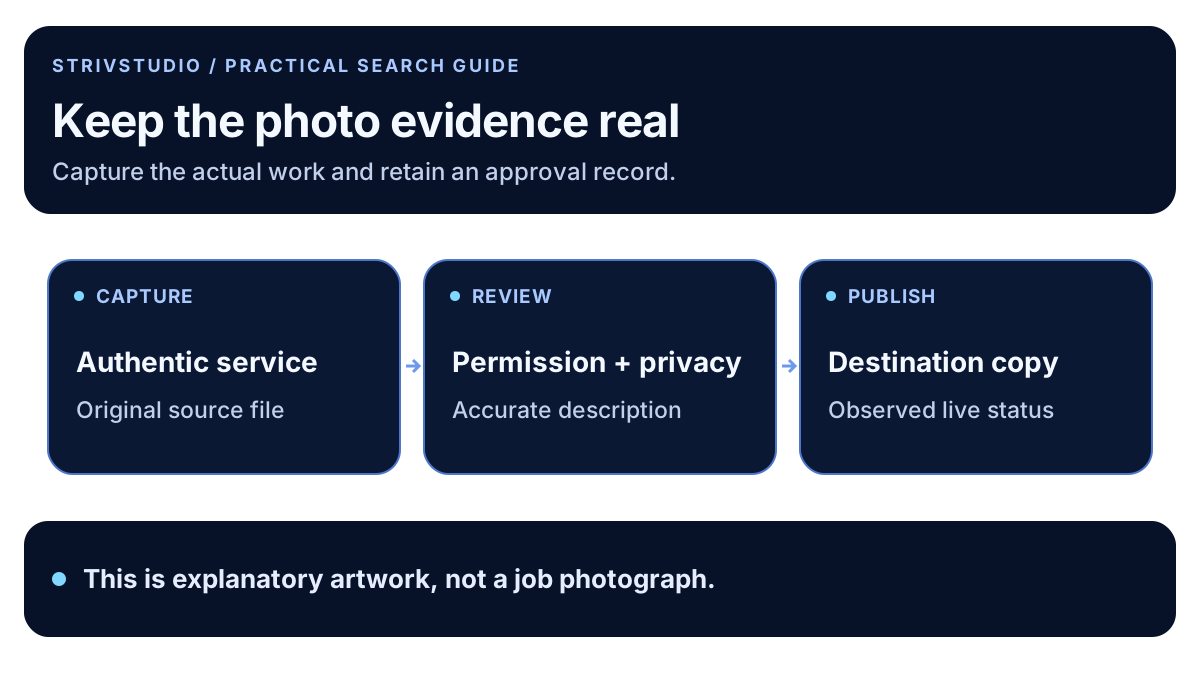
Keep the original file in an organized private library. Record who captured it, the service shown, the known date, approved use and the person who checked the caption. Use a nonpersonal internal job reference when needed; the public filename should not expose customer details.
Review every frame for addresses, license plates, documents, access codes, valuables and identifiable people. Resolve permission and privacy questions before publication. Google's Maps content policies address misleading content and personal information; an internal approval process helps the business apply those boundaries consistently.
Do not assume that a customer review authorizes photo use, or that an image found on another contractor's website is available for reuse. When permission is unclear, choose an approved alternative or leave the image out until the record is complete.
What technical preparation does the profile need?
Google's photo management guidance currently lists JPG or PNG files between 10 KB and 5 MB, recommends 720 by 720 pixels and gives a 250 by 250 minimum. It also calls for focused, well-lit images that represent reality. Check the current page when preparing a batch.
Retain the original and create a destination-specific copy. Crop carefully so the important work remains visible, including in smaller thumbnails. Do not stretch an image to a different shape or remove context that changes what the viewer would reasonably understand.
For the website, prepare an appropriately sized, compressed version and descriptive alternative text. That is a different publishing task from a profile upload. Keep the factual caption consistent even when the file dimensions or format differ.
What changes can make an image misleading?
Our recommended editorial boundary is straightforward: do not create a different job. Swapping company branding, inventing a crew member, removing a relevant defect or replacing the surroundings can change what the image claims. A polished picture is not useful evidence if it no longer represents the documented work.
Keep diagrams and concept artwork clearly labeled as illustrations. An explanatory service diagram can be helpful on a website, but it should not masquerade as a photo of a customer project. The graphic accompanying this guide is original explanatory artwork, not proof of contractor work.
With before-and-after pairs, confirm they show the same documented project and identify meaningful timing or viewpoint differences. Avoid captions that promise unmeasured savings, durability or property-value changes based only on appearance.
How do you verify the publishing result?
Record the uploaded file and observed status. Google's management guide distinguishes pending, not-approved and live media. Check the public profile instead of assuming the upload screen proves publication. Keep any rejected item and the stated reason in the internal record for review.
Choosing a cover photo does not guarantee the first image everyone sees. Review the wider gallery so customers can understand the business even when the order differs. If an old image no longer represents the company, use the appropriate management process and retain a note of the change.
Link useful approved website images to the service explanation they support. Our content brief includes evidence and review ownership so photos do not become disconnected decoration.
What should the ongoing review measure?
Review the missing customer questions, current branding and known service changes. Add a new photo because it explains something useful, not to satisfy an invented daily upload quota. There is no need to label every image addition as a ranking improvement.
Use the local SEO measurement guide to separate profile observations from inquiries and bookings. Keep the review-request process separate from media permission. STRIVSTUDIO's Business Profile service can help organize those records and the next useful publishing priorities.