Key takeaways
- Choose a consistent request process that is independent of expected sentiment.
- Use a neutral link or QR request without incentives or suggested review content.
- Assign a factual reviewer for public replies and protect private information.
- Keep published reviews and observed search changes separate from business outcomes.
In this article
- 1Who should own the review process?
- 2What policy boundaries should the team understand?
- 3What does a useful neutral request look like?
- 4How can the office make the workflow repeatable?
- 5How should the business review public replies?
- 6What can reviews teach the website team?
- 7How should you measure the program?
A sound Google Business Profile review strategy makes it easier for real customers to share honest feedback, gives the office a consistent request process and assigns responsibility for useful public replies. Start with the customer experience and Google's current policies. Measure what is published and learned without promising a rating or ranking outcome.
For a service business, this process belongs beside the website and office follow-up. Our Business Profile support reviews those connections. A larger review count is not a complete strategy if requests are confusing, replies expose private details or the business cannot explain how the process works.
Who should own the review process?
Assign one office owner for the request link, timing rules, reply review and issue escalation. The technician may introduce the option, but customers should not need to negotiate with several people to understand what happens. Keep a backup owner for absences and document where the current link lives.
Map the real customer journey first: work completion, service follow-up, invoice handling and support. Choose a request point where the person can reasonably describe an actual experience. Do not make an invoice dispute or a service complaint disappear from the operational record because a review request was sent.
Keep the process short enough to use consistently. A complicated campaign that nobody maintains is less useful than a clear neutral request and an accountable office review routine.
What policy boundaries should the team understand?
Google's Maps contribution policy prohibits incentives, selective positive solicitation and pressure for particular ratings or content. It also addresses conflicted reviews and staff review quotas. Translate those boundaries into the team's written process before choosing automation.
Do not use a satisfaction question to decide who receives the public-review link. Keep support available to everyone. The request should not tell customers which services, towns or employees to mention. Ask for their experience in their own words.
Google's review-request guidance supports sharing a link or QR code and values honest feedback. Use those tools to remove friction, not to influence what the customer says.
What does a useful neutral request look like?
An illustrative request is: “Thank you for choosing our team. If you would like, please share your honest experience on Google.” Add the business's correct review link. The wording is an example, not a message this guide has sent or a claim about response rates.
Identify the sender and keep the message focused. If another office message already asks for feedback, coordinate the timing rather than sending overlapping requests from several systems. Honor the communication preferences and approved channels the business actually uses.
Test the link without posting a review. Confirm it identifies the intended business and that printed QR material remains readable. Record the destination and last check date so a future profile change does not leave old material pointing somewhere unexpected.
How can the office make the workflow repeatable?
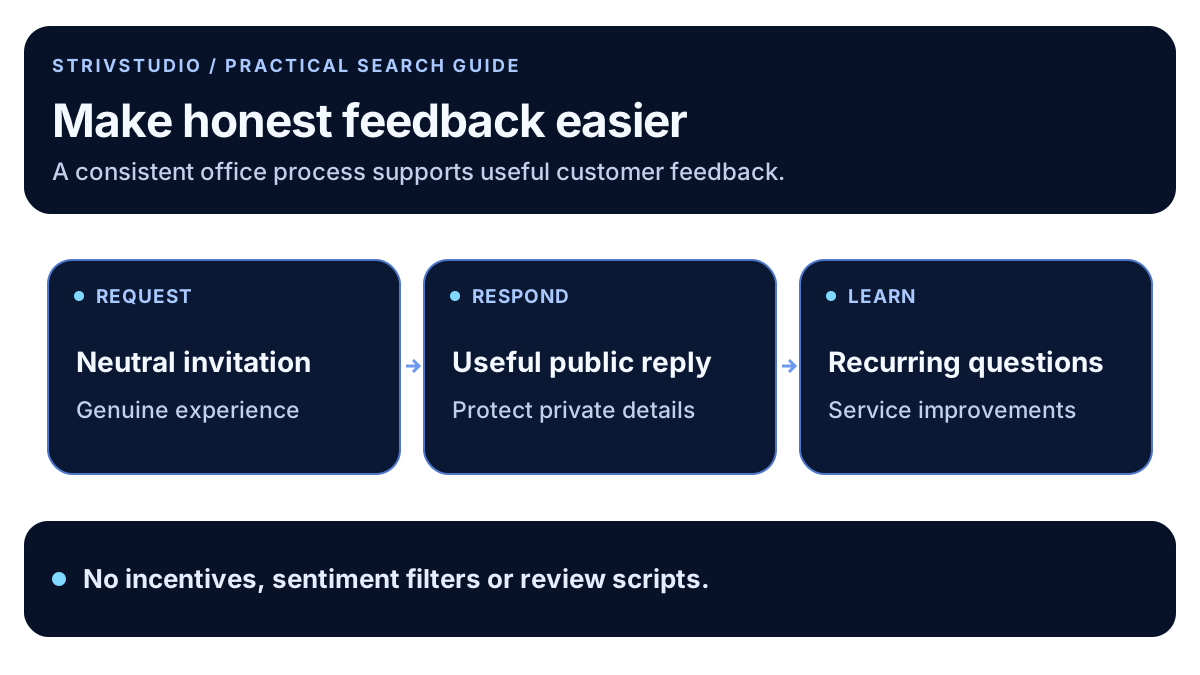
| Step | Office decision | Check |
|---|---|---|
| Eligibility | Comparable genuine customer experiences | Selection does not depend on predicted sentiment |
| Request | Approved neutral wording and channel | Correct link, clear sender and no duplicated messages |
| Reply | Factual owner and escalation route | Helpful public wording without private details |
| Learning | Recurring service questions or issues | Assign an operational or website improvement |
Keep the customer-contact system and public review record distinct. A request sent is not a review published. A missing review is not proof that a customer ignored the request. Avoid forcing these counts to match or assigning a negative motive to an unknown outcome.
How should the business review public replies?
Google's review management guidance explains public replies and reporting suspected violations. Have the reply owner check the service record before responding. Acknowledge the issue at the appropriate level and offer a private contact route when details need discussion.
Do not publish customer addresses, appointment details, payment disputes or other private information to prove the office's point. Avoid a generic promotional paragraph that ignores the actual feedback. A short relevant reply can clarify a misunderstanding without turning the review into a sales pitch.
For an illustrative scheduling complaint, the useful next action may be to review confirmation messages and office expectations. The reply can invite a private conversation while the team investigates. Do not claim a resolution that has not happened or demand a review change as a condition of support.
What can reviews teach the website team?
Look for repeated questions about scope, arrival expectations, estimates and communication. Those patterns can reveal missing information on a service page. Treat them as signals to investigate with the office, not a reason to expose individual customer records in a blog.
When using a genuine review excerpt on the website, preserve its meaning and link the original source where practical. Do not invent a combined quote or imply that one statement represents every customer. Keep business identity and review context clear.
Our content planning guide turns recurring questions into approved briefs. The photo guide explains a separate evidence workflow; a review request is not permission to publish a customer's property photos.
How should you measure the program?
Record operational facts: the current request process, messages sent through approved systems, published reviews observed and issues assigned for follow-up. Review trends with context. Google's local ranking guidance describes a broader set of factors than review volume alone.
Use the local SEO measurement framework to keep profile exposure, contact actions and confirmed work distinct. STRIVSTUDIO's Business Profile service can help align that reporting with accurate website information and a maintainable office process.