Key takeaways
- A confirmation on the website, a CRM record and an office notification need separate checks.
- Give every inquiry a responsible person and a dated next action.
- Make the first reply about the customer's move instead of repeating a generic sales pitch.
- Record qualified, quoted, booked and lost outcomes with consistent definitions.
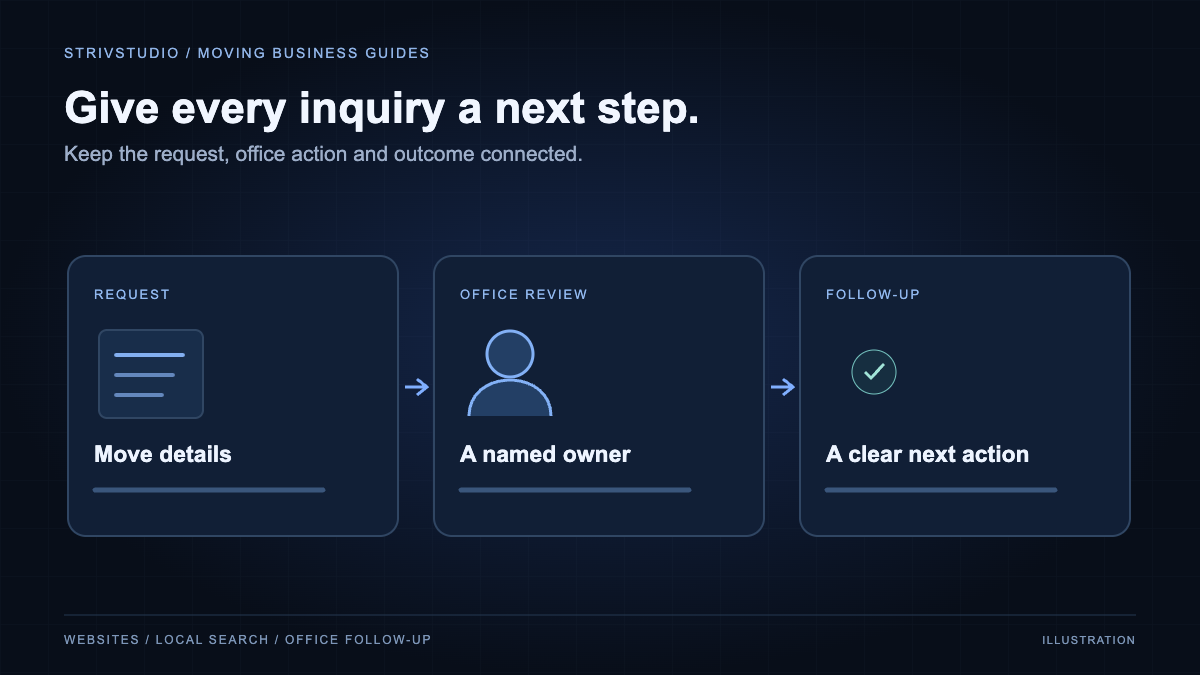
Moving quote follow-up starts before anyone makes a call. The website must deliver the request with the right move details, the office must know who owns it, and the customer must understand what happens next. Review each of those steps before deciding you need more leads.
The workflow below is a practical way to review the handoff between a moving website and an estimating team. It applies whether you use a moving CRM or a simpler office system. Specific fields, notifications and automation depend on your account and how the integration is configured.
Check three different kinds of receipt
First, the customer needs a clear confirmation after the receiving system accepts the request. Second, the office needs a record it can open. Third, the responsible person needs the notification your process depends on. Seeing one does not prove the other two worked.
W3C's form notification guidance explains the need for understandable success and error feedback. For a mover, a useful success message says the estimate request arrived and explains the next step. It should not imply the move is booked when an estimator still needs to confirm it.
Agree on a clearly labeled test with the business owner. Check the submitted request in the real destination, compare the move details and confirm the notification reaches its intended recipient. Record the result without leaving test leads mixed into normal reporting.
Preserve the information the customer already gave you
Compare the form with the office record field by field. Pay particular attention to the move date, origin and destination. Swapping the two addresses or shifting a date makes the first conversation harder. Keep uncertain details marked as uncertain rather than filling them with guesses.
- Customer name and the contact method they supplied.
- Requested move date, including whether it is flexible.
- Origin and destination in the correct fields.
- Requested service and broad move size.
- Notes the estimator needs for the next conversation.
- Source information when available and the time the inquiry arrived.
Use the CRM's own fields where they fit. Put a detail in a clearly labeled note when there is no appropriate field. If a website choice does not match the CRM's move-size categories, have the estimator define the mapping. A convenient guess in the integration becomes a misleading fact in the record.
Give each inquiry an owner and a next action
A shared inbox can work, but the team still needs to know who is replying. Assign a person or a clearly managed queue, set the next action and make overdue items visible. Include a backup for absences and busy moving days.
Set a response expectation the office can keep. During staffed hours, define how new requests enter the queue. Outside those hours, tell the customer when the office returns. An automatic acknowledgment can confirm receipt while the estimator prepares a personal reply.
For a multi-branch company, decide whether origin, requested service or another business rule controls assignment. Test an inquiry near a branch boundary and one outside normal coverage. Both should have an intentional destination.
Make the first reply about this move
Read the submitted details before calling or emailing. Confirm what you know, ask for the missing information that changes the estimate and explain the next step. If the customer requested packing with a local move, begin there instead of asking them to describe the whole job again.
A reply can be short without feeling automated. Mention the requested service and date, then ask the one or two questions the estimator needs next. Avoid claiming availability until the schedule has been checked. If a survey or inventory is needed, explain why and how the customer can complete it.
Use contact channels the customer has agreed to, honor opt-outs and stop automated follow-ups when a person takes over or the inquiry closes. Keep appointment updates separate from marketing campaigns in the workflow.
Use statuses that mean something to the team
Choose a small set of statuses and define when each applies. For example, "new" means nobody has reviewed the inquiry; "qualified" means it fits the services and coverage; "estimate sent" means the customer has received the estimate. Use "booked" only after the company's actual booking requirements are met.
Record a reason when an inquiry closes without a booking. "Outside coverage," "date unavailable," "no response" and "chose another mover" call for different actions. Do not make the estimator guess a reason the customer has not given; an unknown outcome is better than a false explanation.
For paid search, Google distinguishes qualified leads and converted leads so later outcomes can inform measurement. Agree on the corresponding office status before connecting it to ad reporting. The Google Ads preparation guide explains why a form request and a booking should remain separate.
Review a small sample from start to finish
Each week, follow a few inquiries through the whole process. Include a booking, an unanswered inquiry and a request that was not a fit. Check whether the record is complete, the first action happened when expected and the final status reflects what you know.
Look for repeated problems you can fix: required fields the customer cannot answer, missing notifications, unclear ownership or a response that arrives after the customer has moved on. A form that is difficult to complete needs a website change; a complete record sitting untouched needs an office decision.
Keep the review attached to the website launch checklist so later form changes get tested too. If you want help connecting the page and the office workflow, start with our moving-company website and marketing services.